Rolling Sphere Ocean Race
Reviews
💡Rolling Sphere Ocean Race offers an enjoyable arcade racing experience with its bright sea courses and easy-to-learn controls. The two-player split-screen mode adds social fun, and the customization options provide motivation to keep playing. It is a great casual game for all ages.
Description
Game Introduction
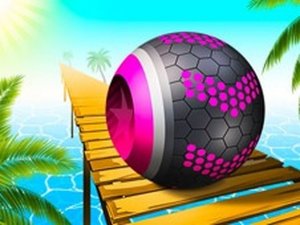
Rolling Sphere Ocean Race is a 3D arcade racing game set on a bright sea course. Players control a rolling ball as they navigate through colorful tracks filled with obstacles, crates, and bouncy platforms. The main goal is to complete each course while collecting coins and keys, which help unlock new levels and customization options. This game stands out with its cheerful sea theme and the option to play either solo or in a two-player split-screen mode, making it a fun and accessible experience for players of all ages. The vibrant ocean setting adds a refreshing feel to the racing genre.
How to Play
Players control their ball using standard keyboard keys to roll forward, steer, and avoid hazards. The objective is to stay on the track, collect scattered coins, and reach the finish line. Speed boosts can be grabbed for temporary acceleration. Bouncy platforms in the water help reach higher areas. Falling off the course may require using a respawn or restarting the level. In two-player mode, each player uses a separate set of keys for head-to-head racing. The controls are simple and intuitive, making it easy for new players to start.
Game Features
Features include 3D obstacle courses with varied hazards like crates and traps. A two-player split-screen mode allows competitive racing with a friend. Customization options let players change their ball's skin, trail, and sky color using earned coins. Coins and keys are collected to unlock new levels and items. Speed boosts and bouncy platforms add variety to the gameplay. Simple controls and a bright, cheerful sea theme make it suitable for casual players. The game offers a fun and engaging racing experience without complex mechanics.
Tips for Success
To succeed, focus on staying on the main path to avoid falling into the water. Collect coins whenever possible to unlock customization options and new levels. Use speed boosts strategically, especially on straight sections. Learn the layout of each course to anticipate obstacles and bouncy platforms. In two-player mode, practice controlling your ball smoothly to maintain speed. Regular play will help you master the controls and improve your race times.
Compatibility
Faq
Can I play Rolling Sphere Ocean Race on mobile devices?
Is there a single-player mode in Rolling Sphere Ocean Race?
How do I unlock new customization options in Rolling Sphere Ocean Race?
What happens if my ball falls off the track in Rolling Sphere Ocean Race?
Are there different difficulty levels in Rolling Sphere Ocean Race?
Can I play Rolling Sphere Ocean Race with a controller?
Related Games

Pocket Universe Idle Builder
Pocket Universe Idle Builder

School Stealth Puzzle Adventure
School Stealth Puzzle Adventure

Pose Match 3D Puzzle
Pose Match 3D Puzzle

Flight Simulator EVO Online
Flight Simulator EVO Online

Tap Goal Soccer Puzzle
Tap Goal Soccer Puzzle
Color Sort Puzzle: Sorting Challenge
Color Sort Puzzle: Sorting Challenge

Emergency Response Driving Simulator 3D
Emergency Response Driving Simulator 3D