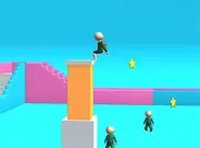
Zipline Valley Logic Puzzle
Reviews
Zipline Valley is a well-designed puzzle game that combines creativity with logic. The drawing mechanic is simple to learn but offers depth as you plan routes around obstacles. Each level feels like a new challenge, encouraging replayability. The game is family-friendly and runs smoothly in a browser. It is a great choice for quick mental exercise or longer play sessions.
About this game
Game Introduction
Zipline Valley is a logic puzzle game where players take on the role of a rescuer. The core objective is to guide friends across a dangerous valley by drawing a zipline rope. This game stands out for its creative line-drawing mechanic that combines planning and precision. It is a family-friendly puzzle experience that tests problem-solving skills in a fun, accessible way. The game is available for free in your browser, making it easy to play anytime.
How to Play
Players use their mouse to draw a line from the starting point to the destination across the valley. This line acts as a zipline for the passengers. After drawing the line, clicking the left mouse button releases the passengers. The longer the mouse button is held, the more passengers are sent. Obstacles such as blocks appear in the valley, and players must draw their line around them to avoid collisions. The game requires careful planning and precise timing to ensure a safe path for everyone.
Game Features
Key features include a creative line-drawing mechanic that is intuitive and rewarding. The game offers simple mouse controls, making it easy to pick up. It is free to play and runs directly in a web browser with no downloads needed. A full screen mode is available for a more immersive experience. The game is designed for desktop play and works best with a keyboard or mouse. It is suitable for players of all ages who enjoy strategic challenges.
Tips for Success
To succeed in Zipline Valley, focus on planning your path before drawing. Take time to observe the layout of obstacles and plan a route that avoids them. Practice holding the mouse button for different durations to control the number of passengers sent. Precision is key, so draw smooth, steady lines. If you make a mistake, try a different approach. Regular practice will help you improve your timing and problem-solving skills.